My role
I wasn’t just fixing flows. My role was to untangle the chaos, align with devs and PO, and cut endless duplicates. I made sure changes were not only good for users, but also realistic for the team to build fast.

6
Sprints
First areas I worked on:
Product pages
1
Wishlist flow, Outfit flow (“shop the look”)
2
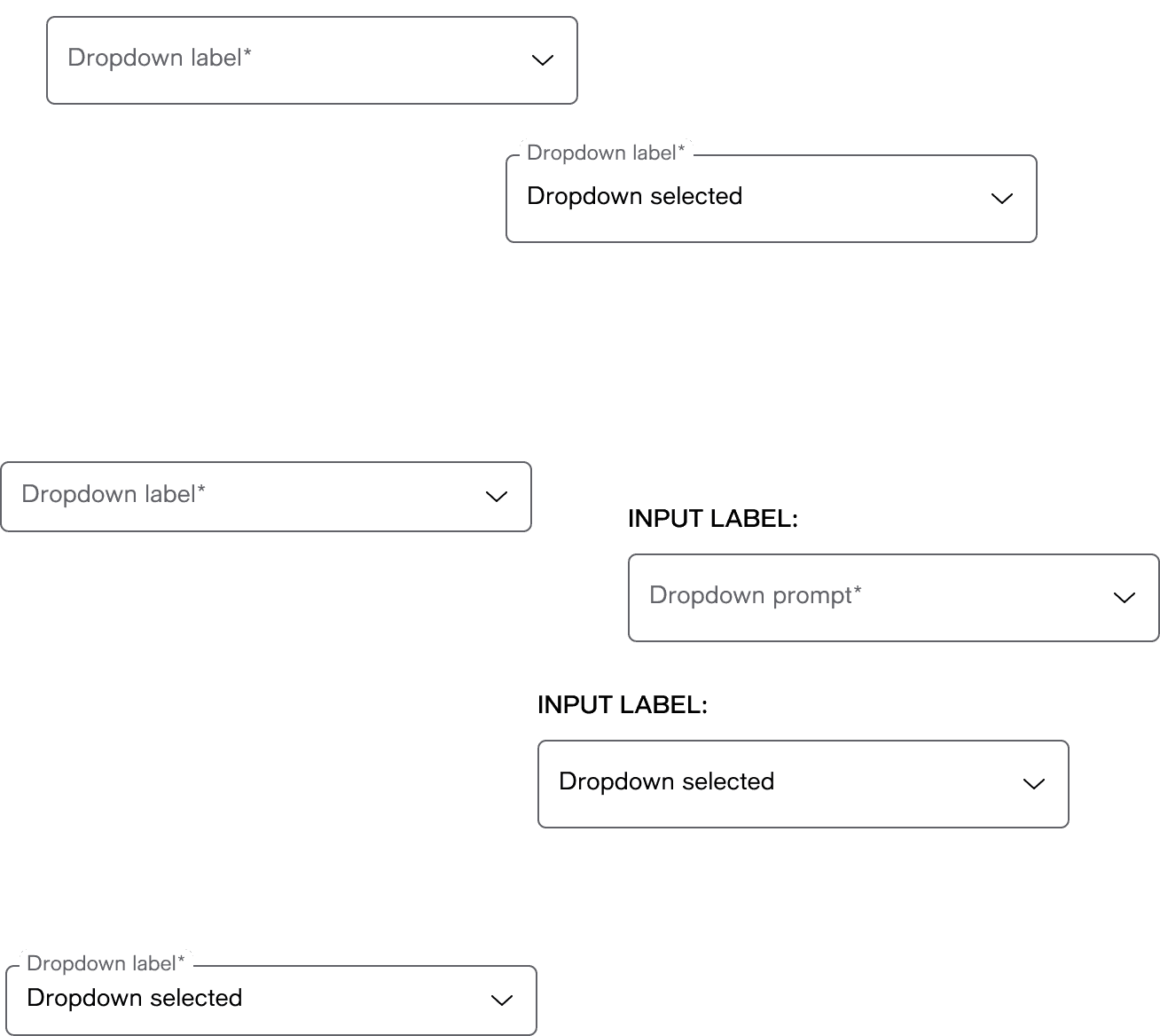
Unification of key elements of the design system
3
INPUT LABEL:
INPUT LABEL:
HYPERLINK
Hyperlink
HYPERLINK
Hyperlink
HYPERLINK
Hyperlink
HYPERLINK
Hyperlink
HYPERLINK
Hyperlink
HYPERLINK
Hyperlink
HYPERLINK
Hyperlink
Button Label
Button Label
Button Label
Button Label
Button Label
Button Label
Button Label
Button Label
Button Label
Button Label
Button Label
Button Label
Button Label
Button Label
Button Label
Button Label
Button Label
Button Label
Button Label
Button Label
Button Label
HYPERLINK
Hyperlink
HYPERLINK
Hyperlink

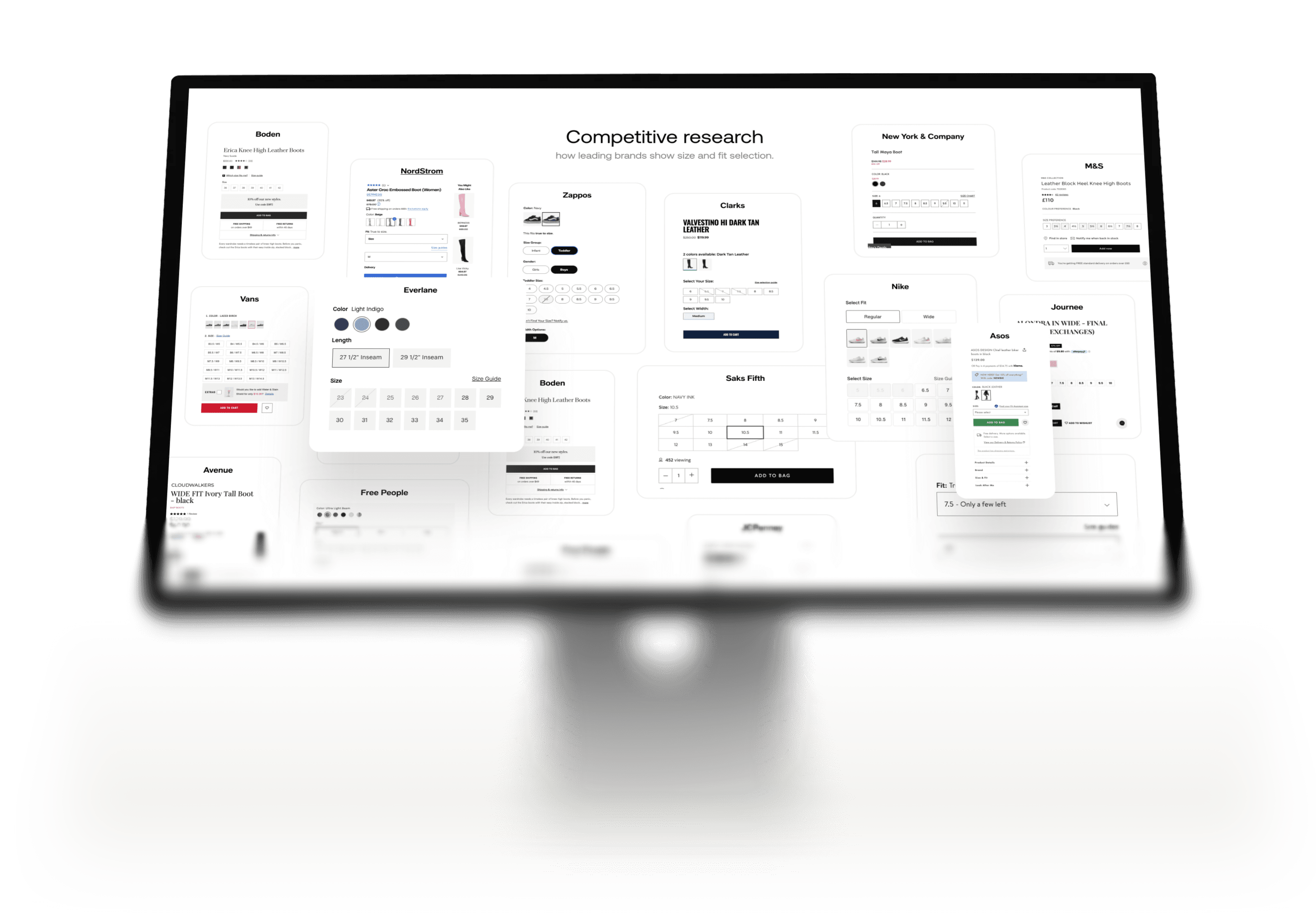
Numbers
01
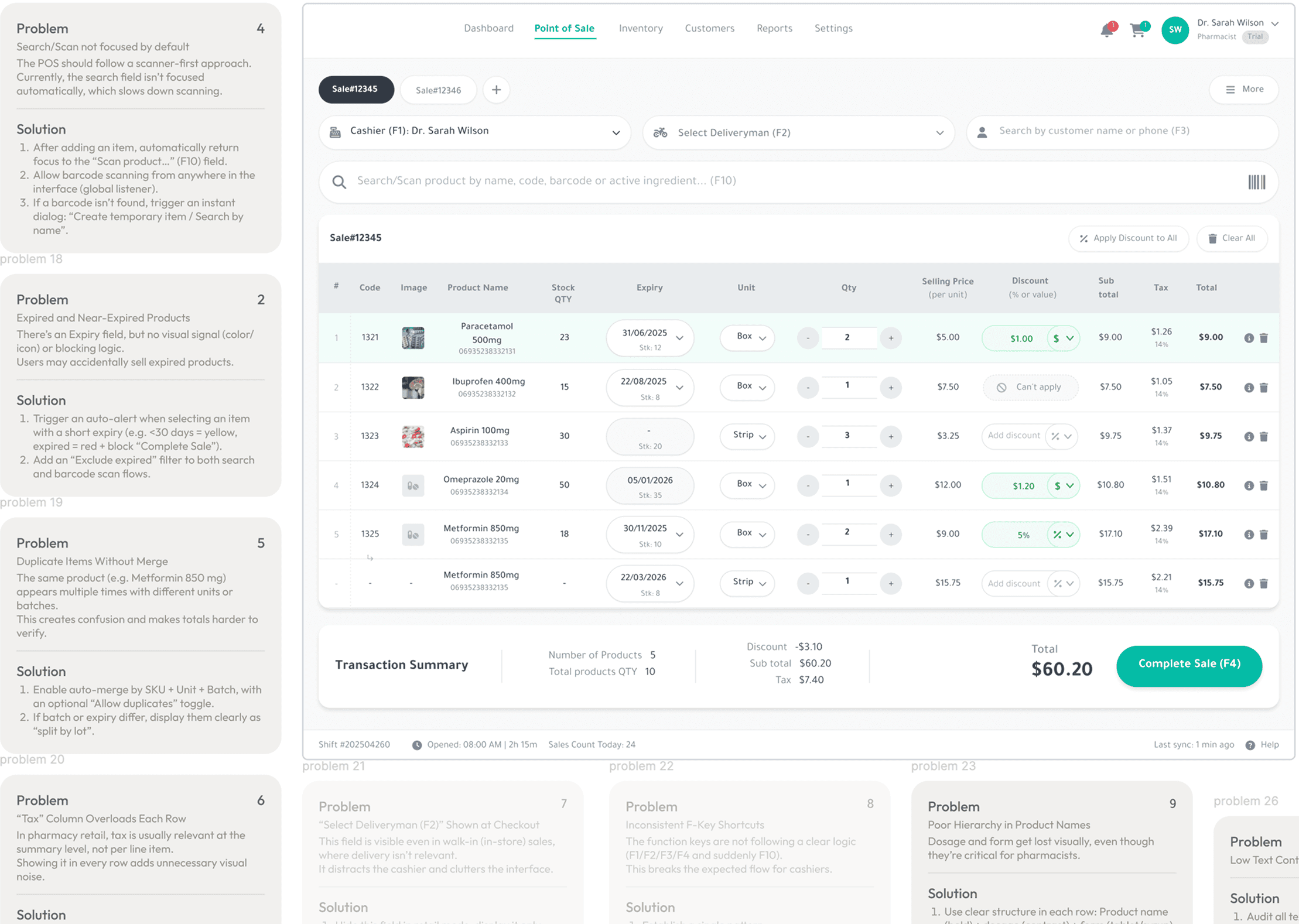
Analytics showed main drop points in key flows.
Real flows
02
Collected all the messy versions to see how many duplicates exist.
Inside chaos
03
No shared system → dozens of duplicate buttons and flows.
Product pages
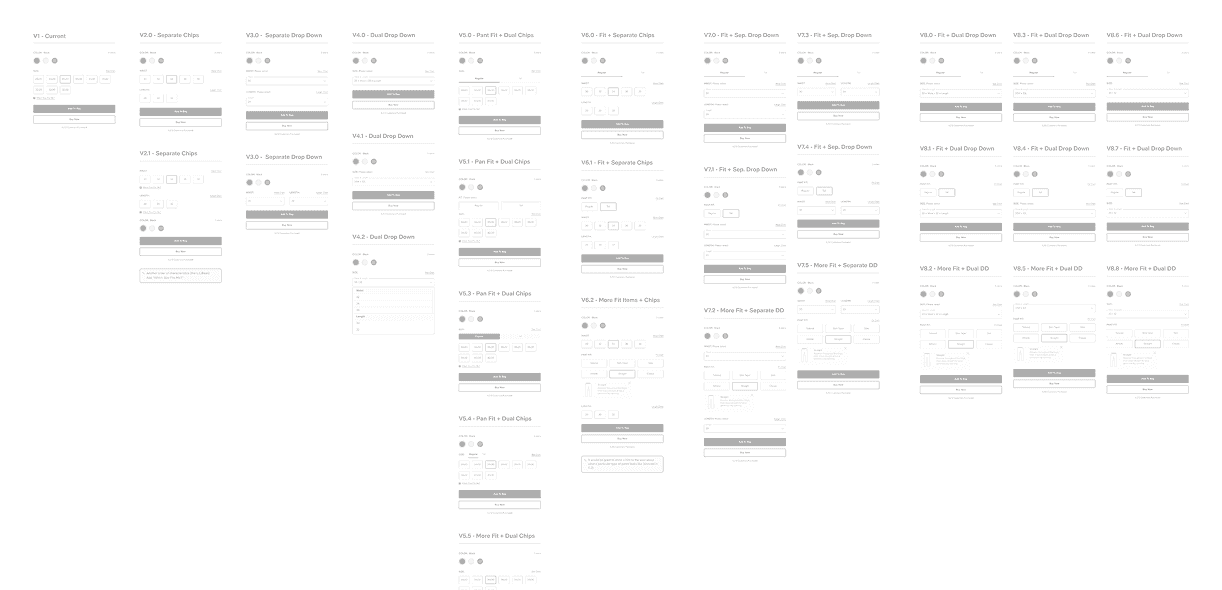
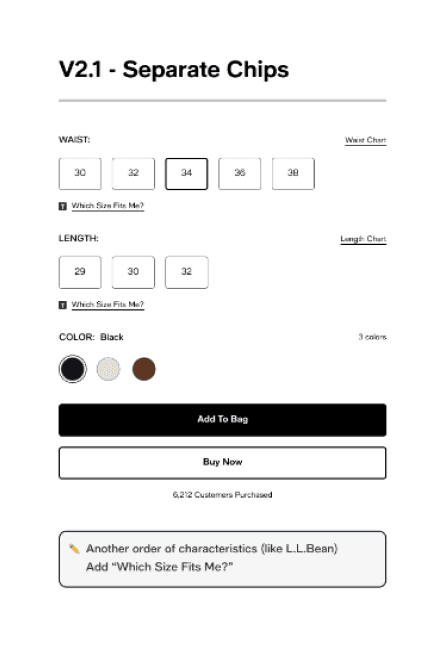
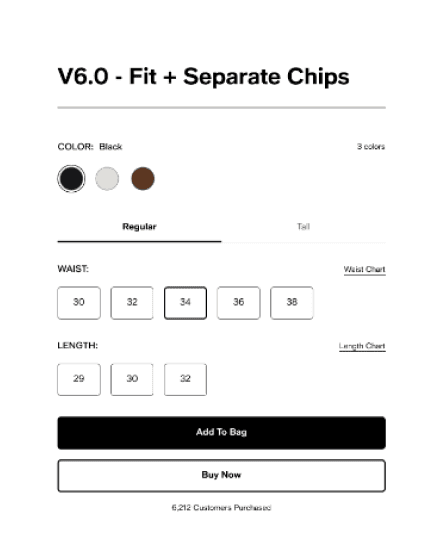
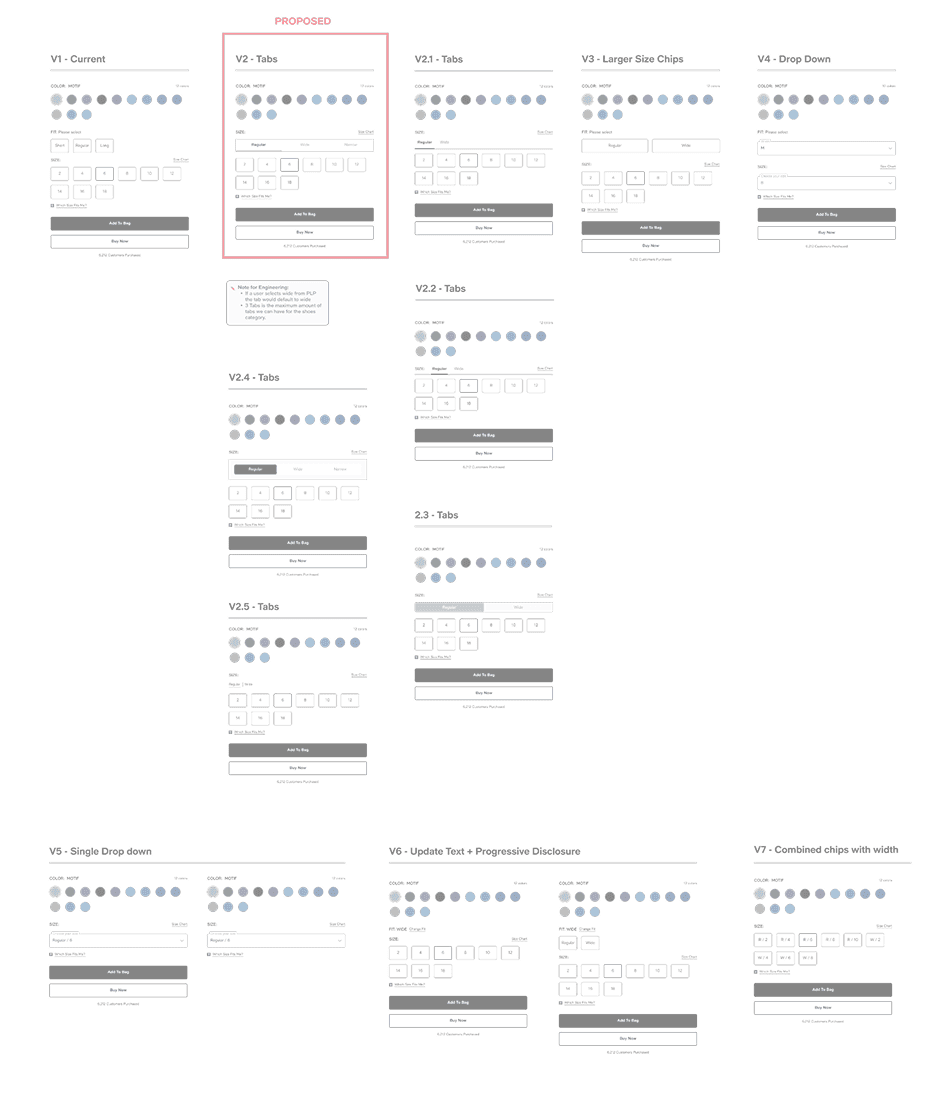
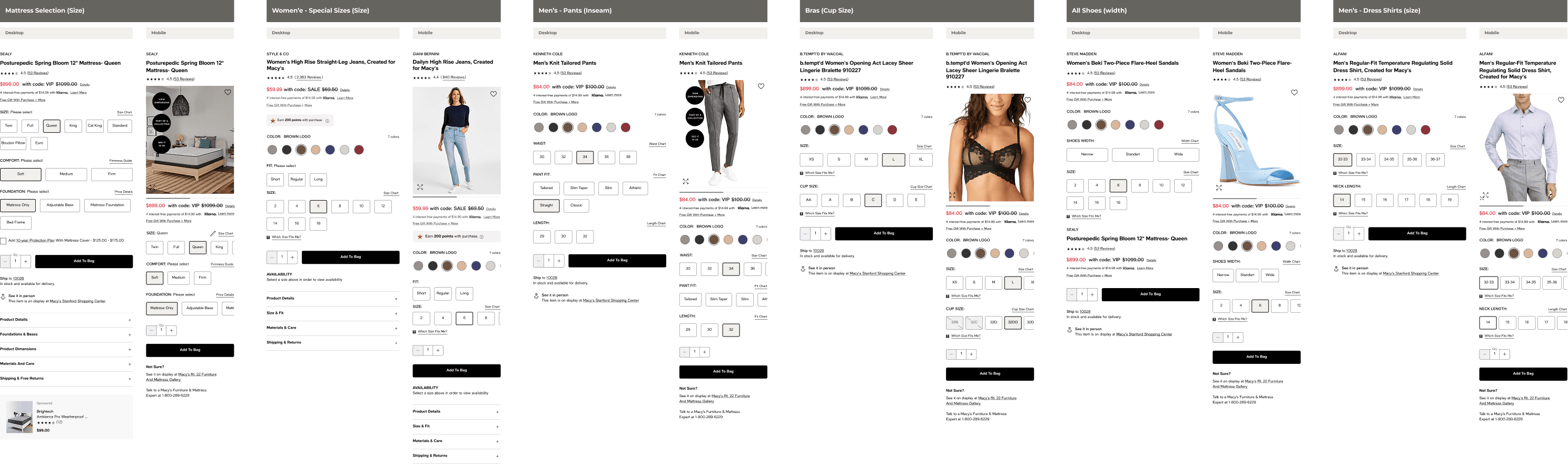
Every category had a different way to pick size — dropdowns here, chips there, big tables somewhere else. Hard to compare and a bit messy.
66%
Too many versions
Inconsistent patterns
Hard to compare
PDP flow
On product pages, steps changed by category — extra clicks, missing options, or different add-to-cart.
71%
Too many steps
Missing options
Inconsistent logic
Outfit flow
Adding a look could be one click in one place and five steps in another. The logic kept changing and confused people.
41%
Confusing steps
Too many clicks
Different logic each time
Buttons —
40+ version
Inputs —
17+ version
Size selectors — 16+ versions
Tabs —
10+ versions

The audit confirmed both sides of the problem: users were lost in inconsistent selectors and broken outfit flows, while the team kept wasting time maintaining the same components in ten different versions. Fixing one meant fixing the other — fewer variations for users, less duplicate work for the team.



41+
Focus area
Inconsistent flows frustrated users on the outside, and drained the team on the inside. Too many patterns to support, too many bugs to fix again and again.

Kseniia Bator
Product designer
Solution
01
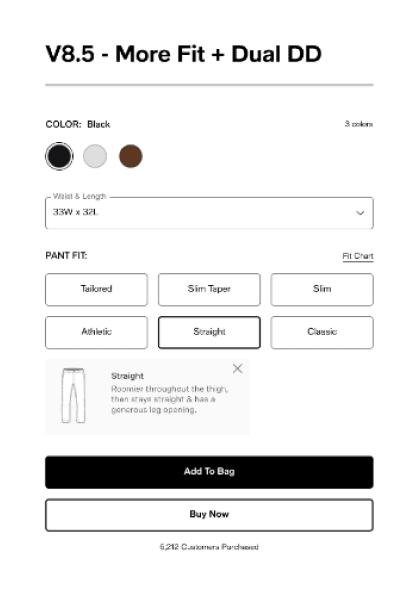
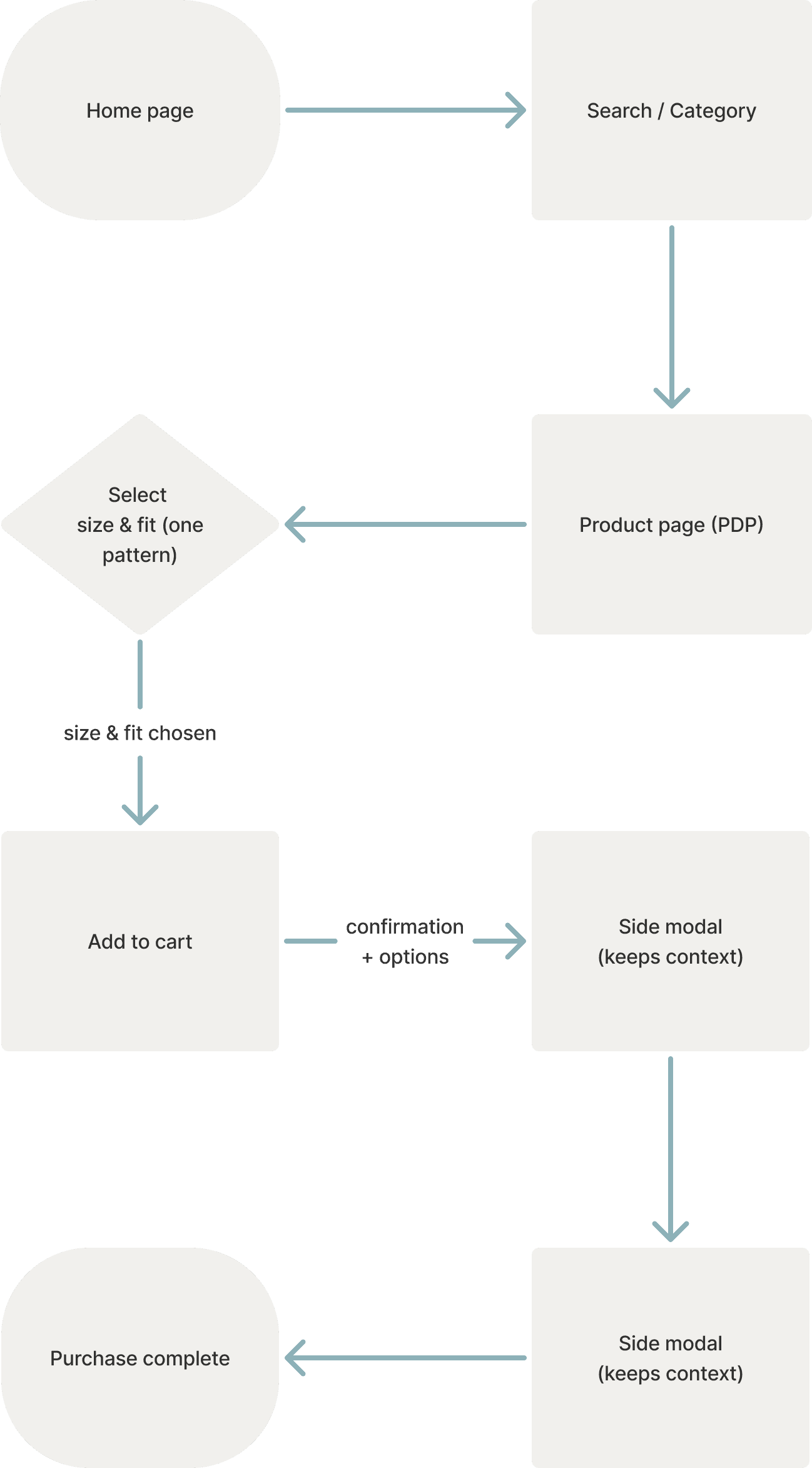
Unify product pages — one pattern instead of 16+, easier shopping for users, less support for devs.
Solution
03
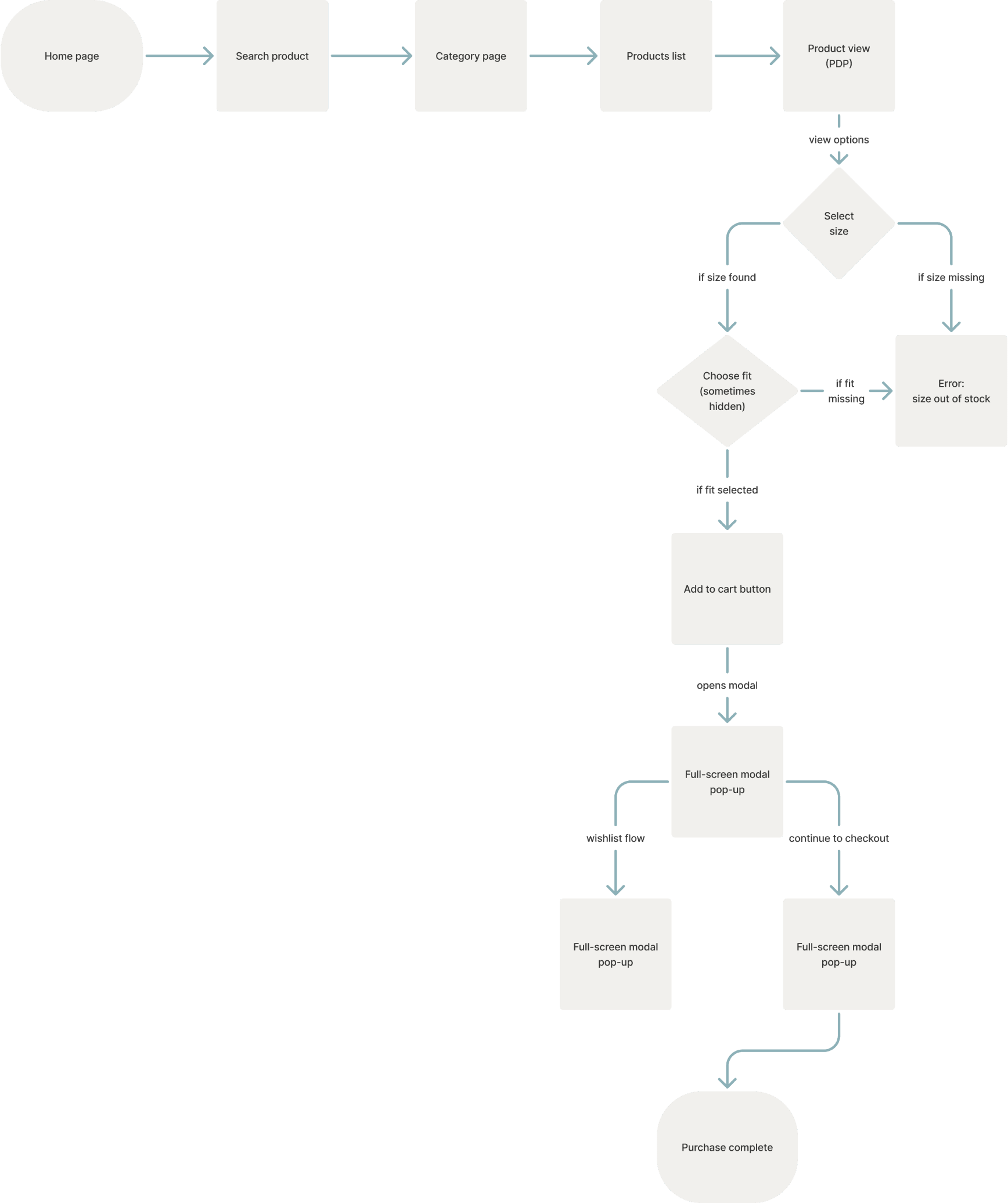
PDP flow — one clear logic across categories, so the team didn’t have to hack each product type differently.
Solution
02
Outfit flow — simple, scalable: users add full looks or single items, and the team supports only one version.
Trade-offs everywhere
We couldn’t always go with the “perfect” UX — big systems bring limits, so it was about finding balance.
Tech & business constraints
Each category had its own logic, and business wanted fast delivery. We had to unify without breaking things.
Cross-team alignment
I spent a lot of time with devs and the PO. I helped the team cut through ‘perfect in Figma’ ideas and find what was realistic to ship fast.
Scaling the solution
The flow had to live long-term, across many categories. I checked edge cases to make sure it really works everywhere.
Scaling the solution
In the end, it wasn’t only about the user flow, but also what the system can handle. I drove the discussion to one path that balanced both user flow and system limits.
Color:
MOTIF
12 colors
Size:
Size Chart
Regular
Wide
Narrow
2
4
6
8
10
12
14
16
18
T
Which Size Fits Me?
Add to Bag
Buy Now
6,212 Customers Purchased
Explored multiple UI patterns across categories
Aligned with developers and product owner on trade-offs
Unified product cards under one scalable pattern
Facilitated trade-offs with devs & PO
Compared flows for speed & clarity
Led alignment to choose one scalable flow
Made it scalable across categories
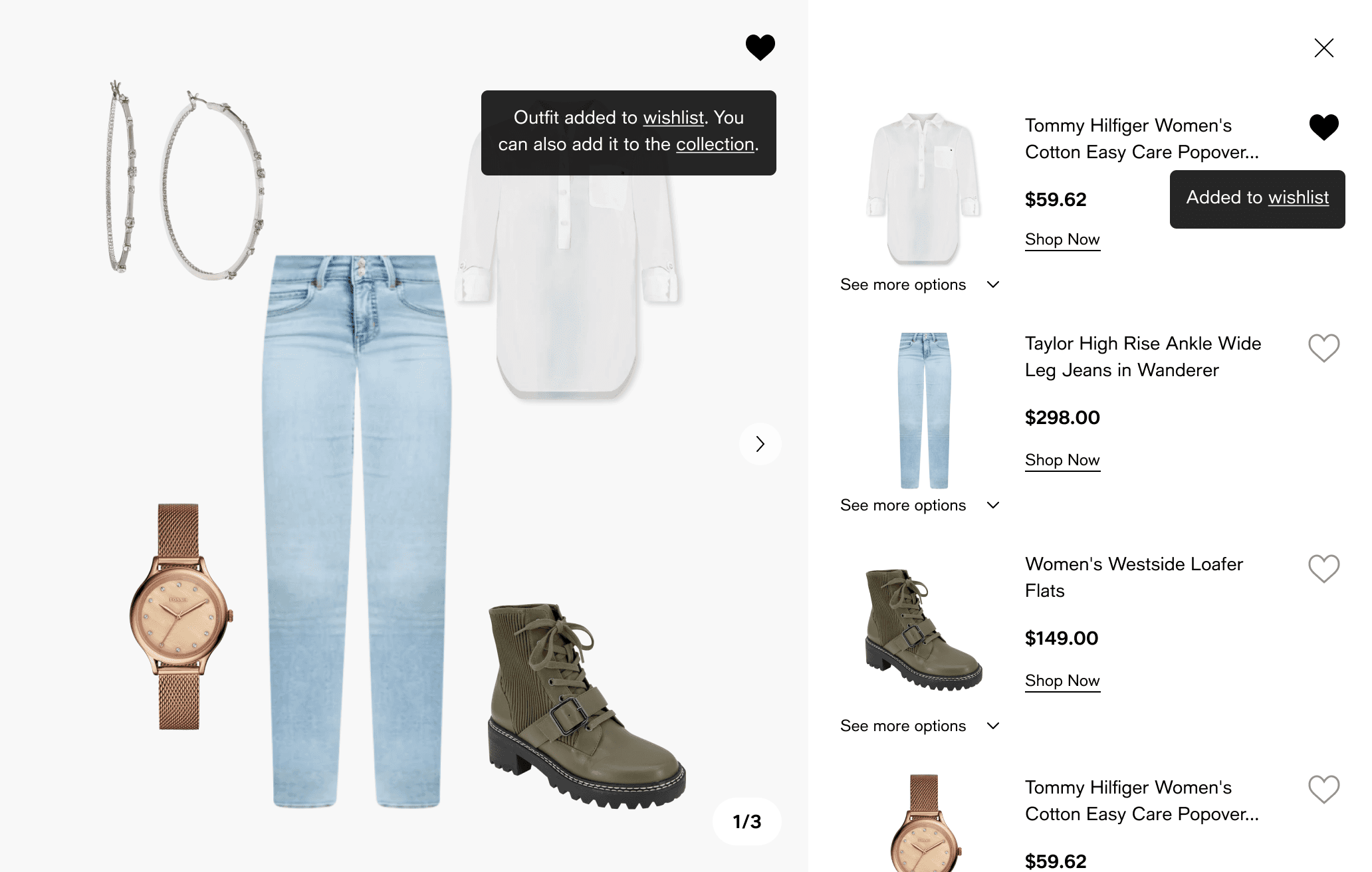
Flow 1
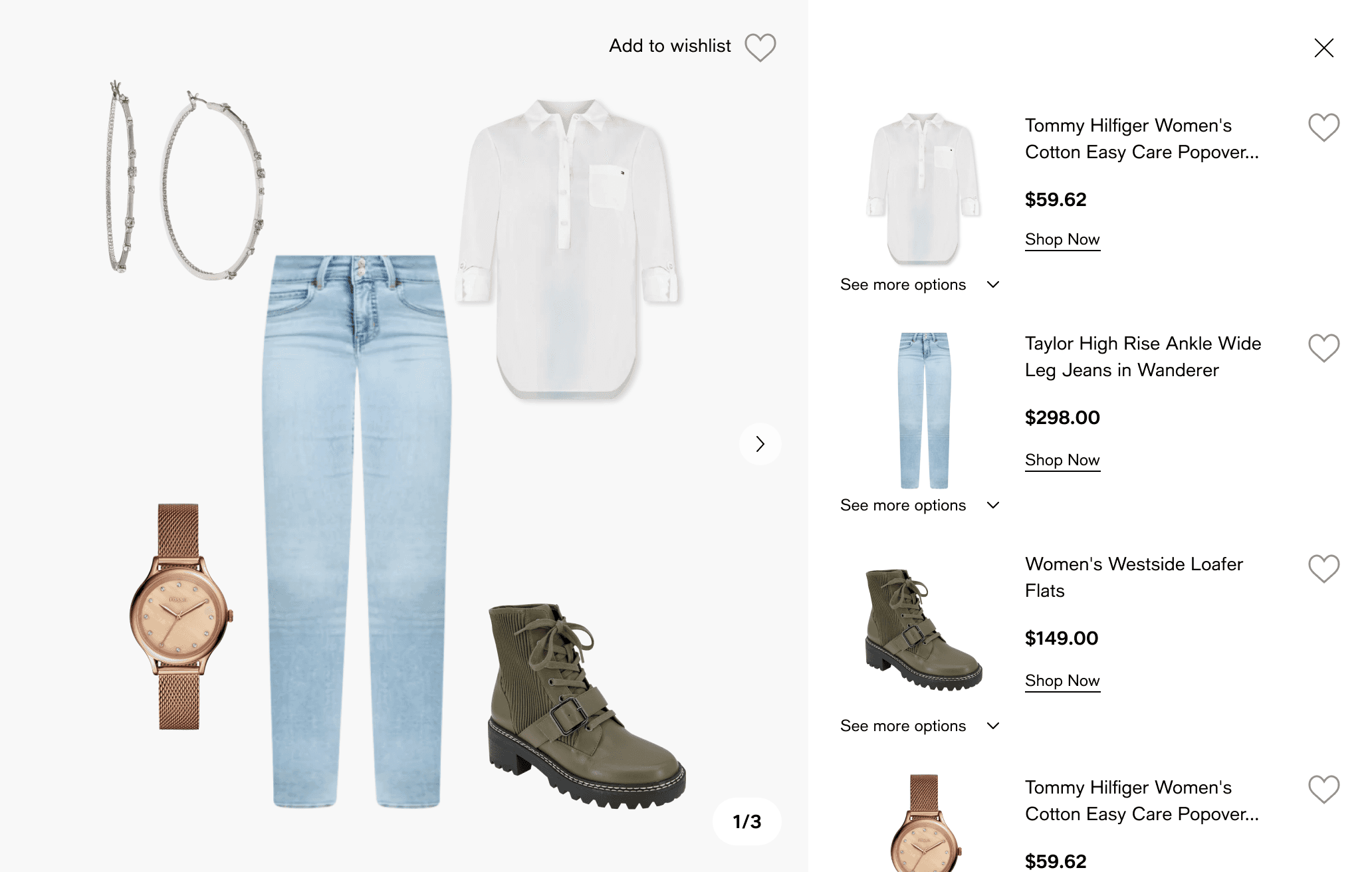
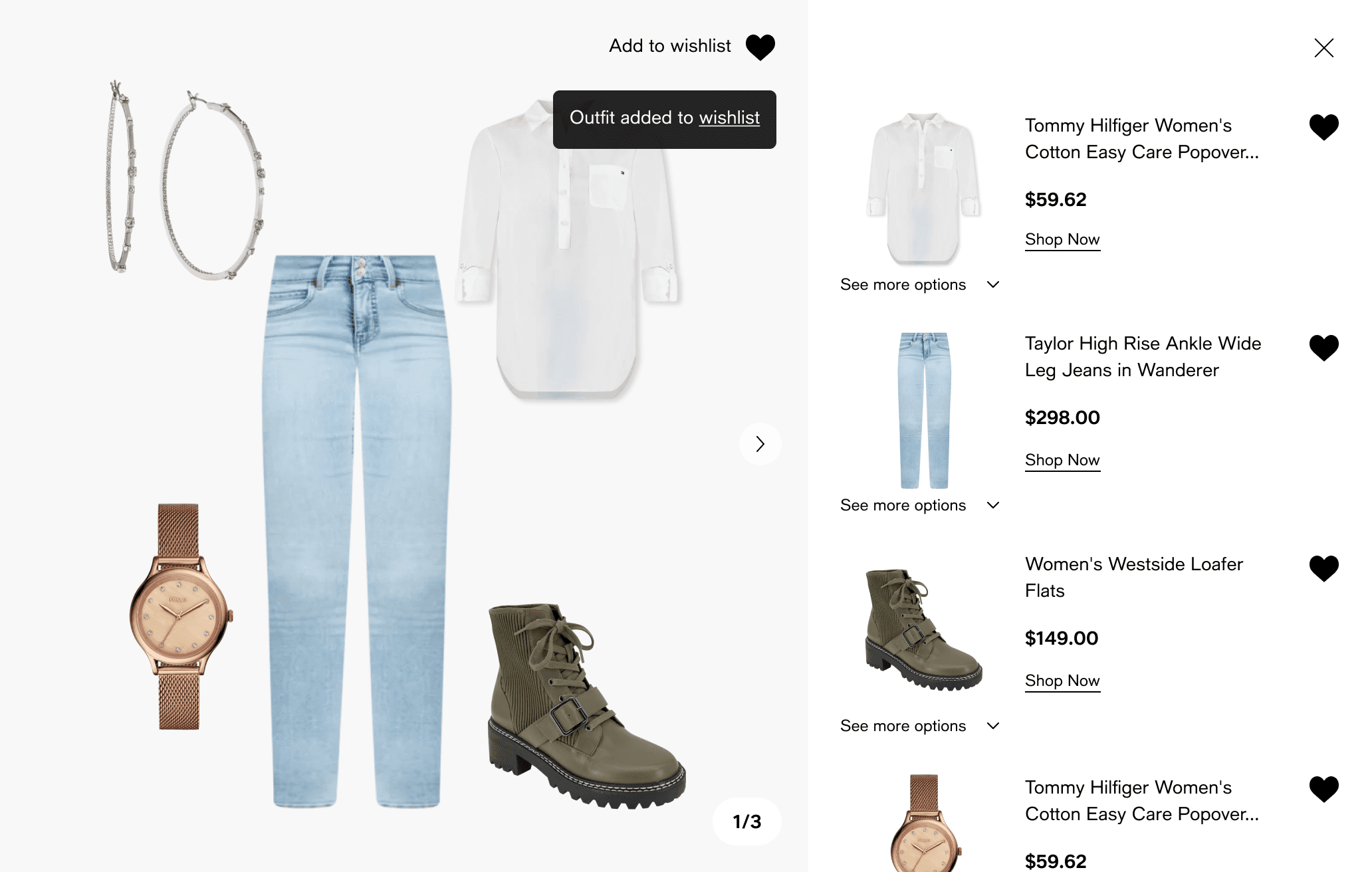
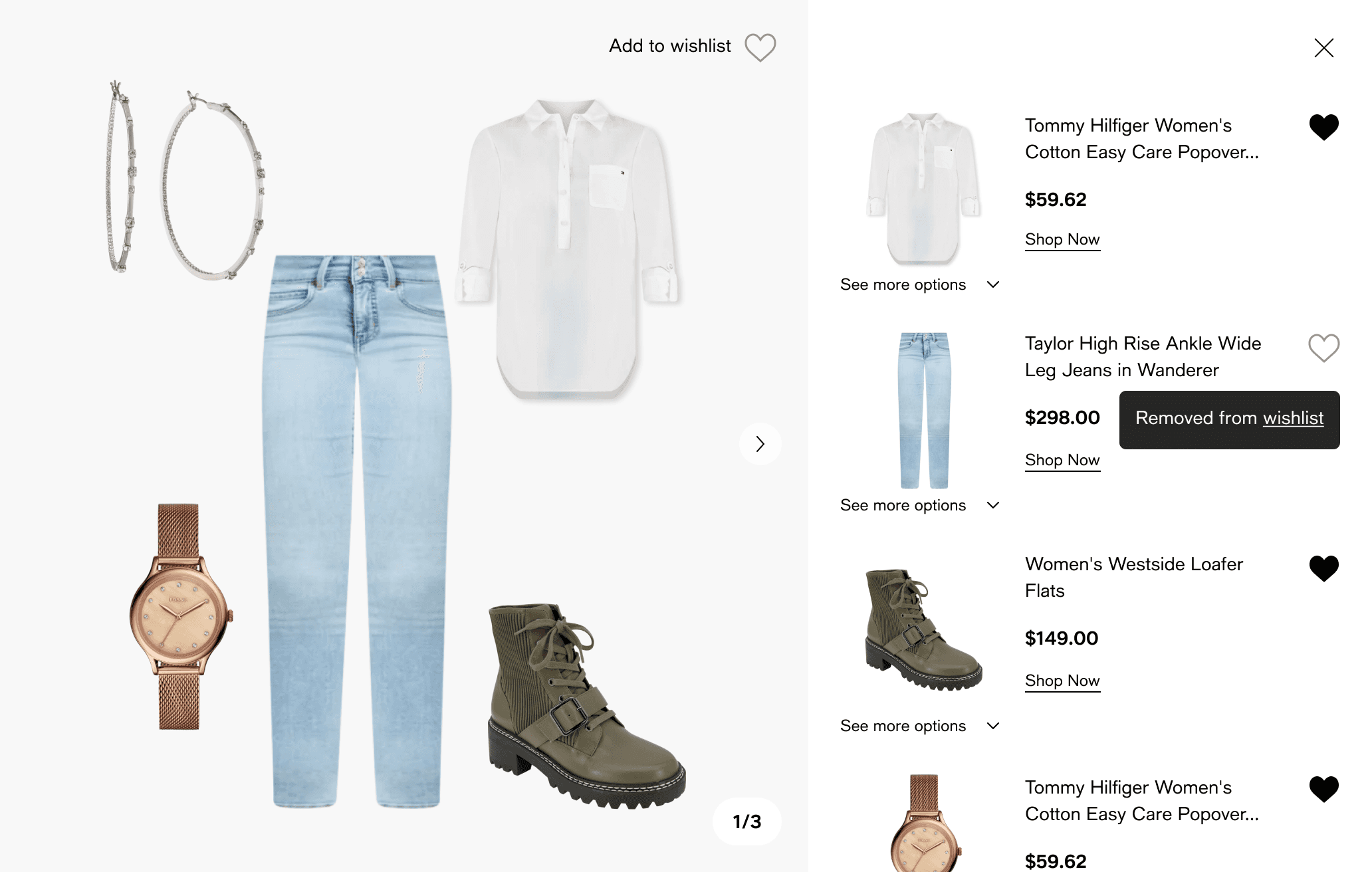
All items listed on the right side, quick add-to-cart possible.
+ Simple and fast for devs
+ User can add multiple items quickly
– List becomes overloaded in big outfits
– Hard to compare details
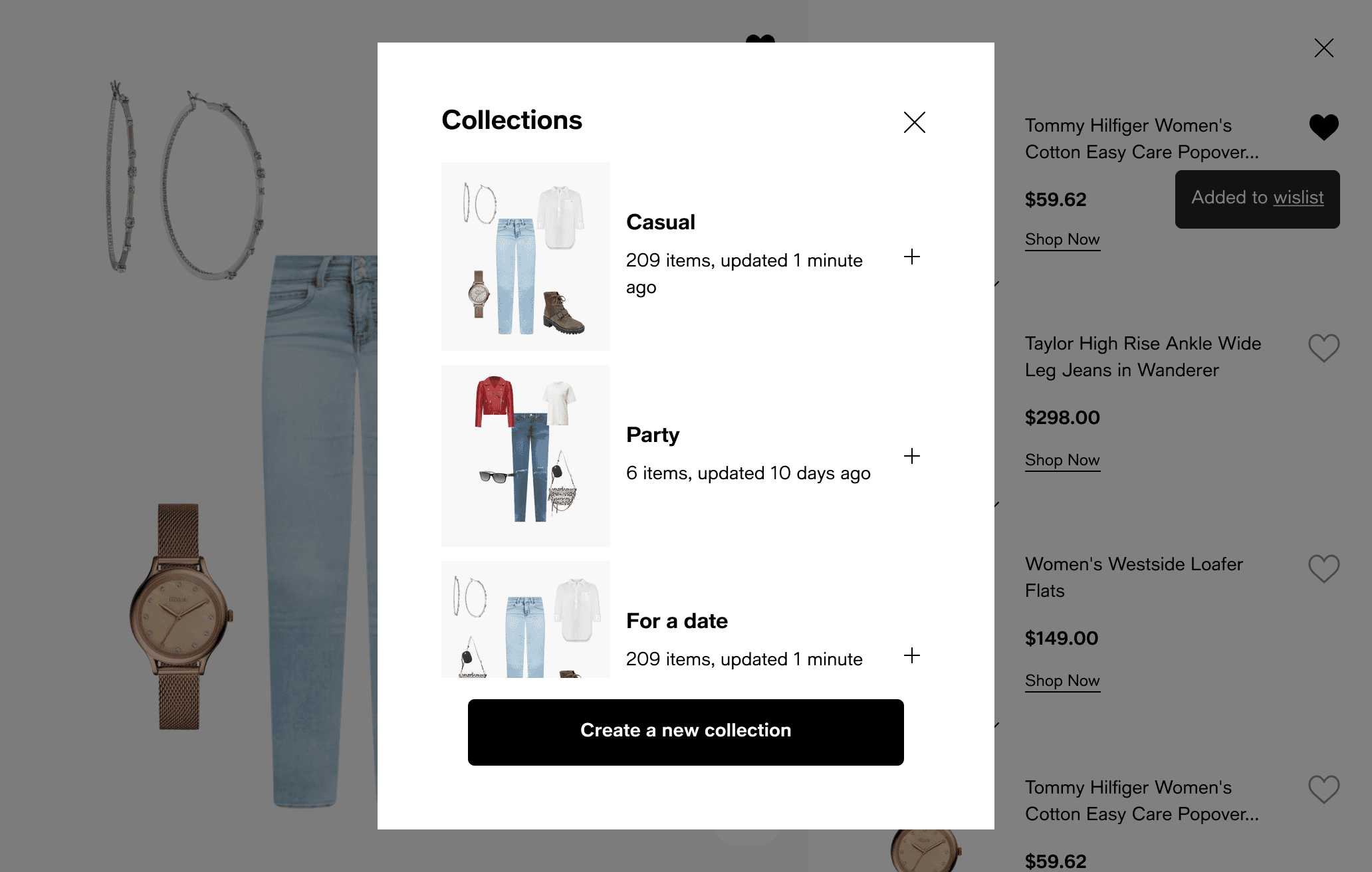
Flow 2
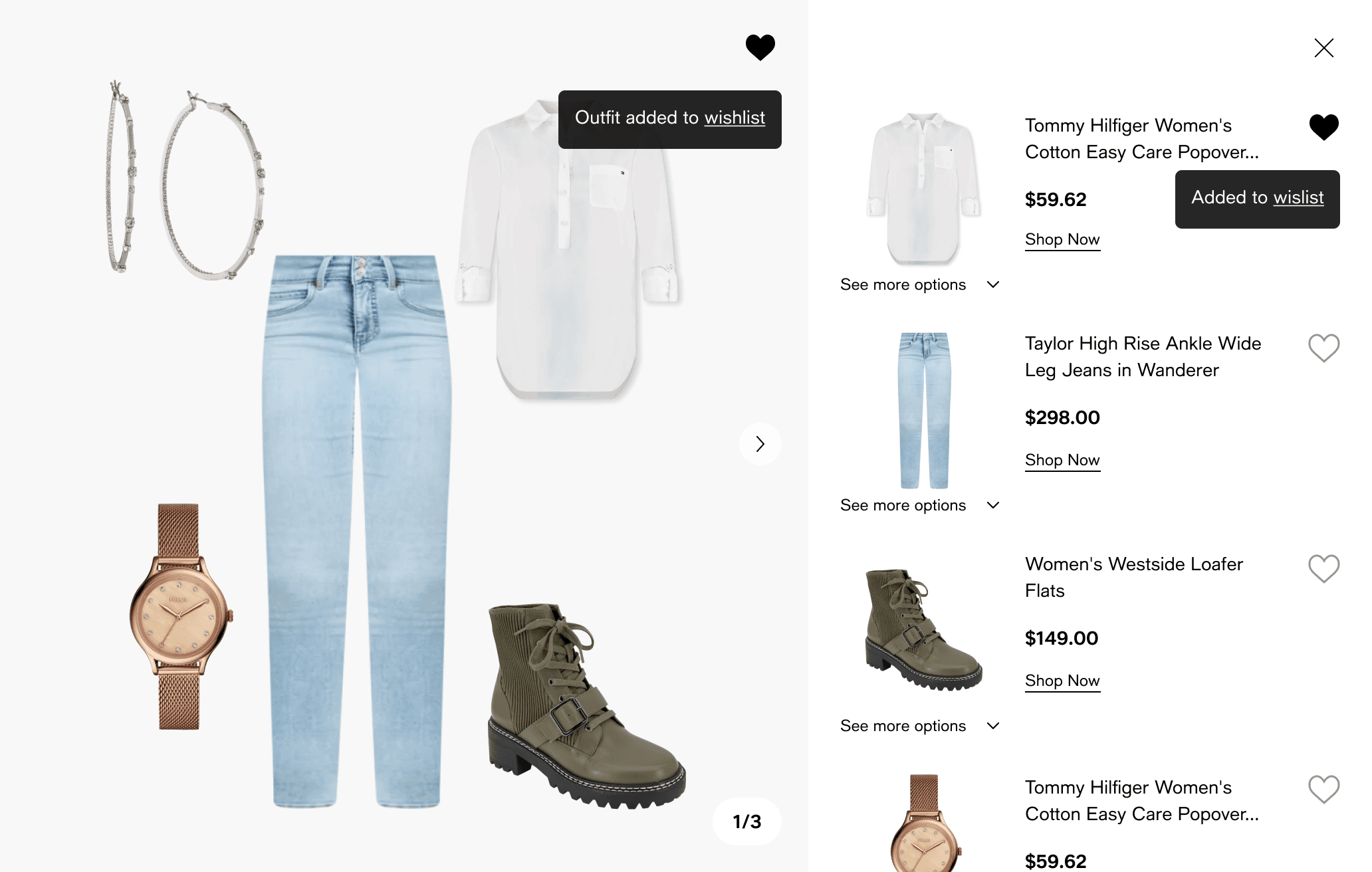
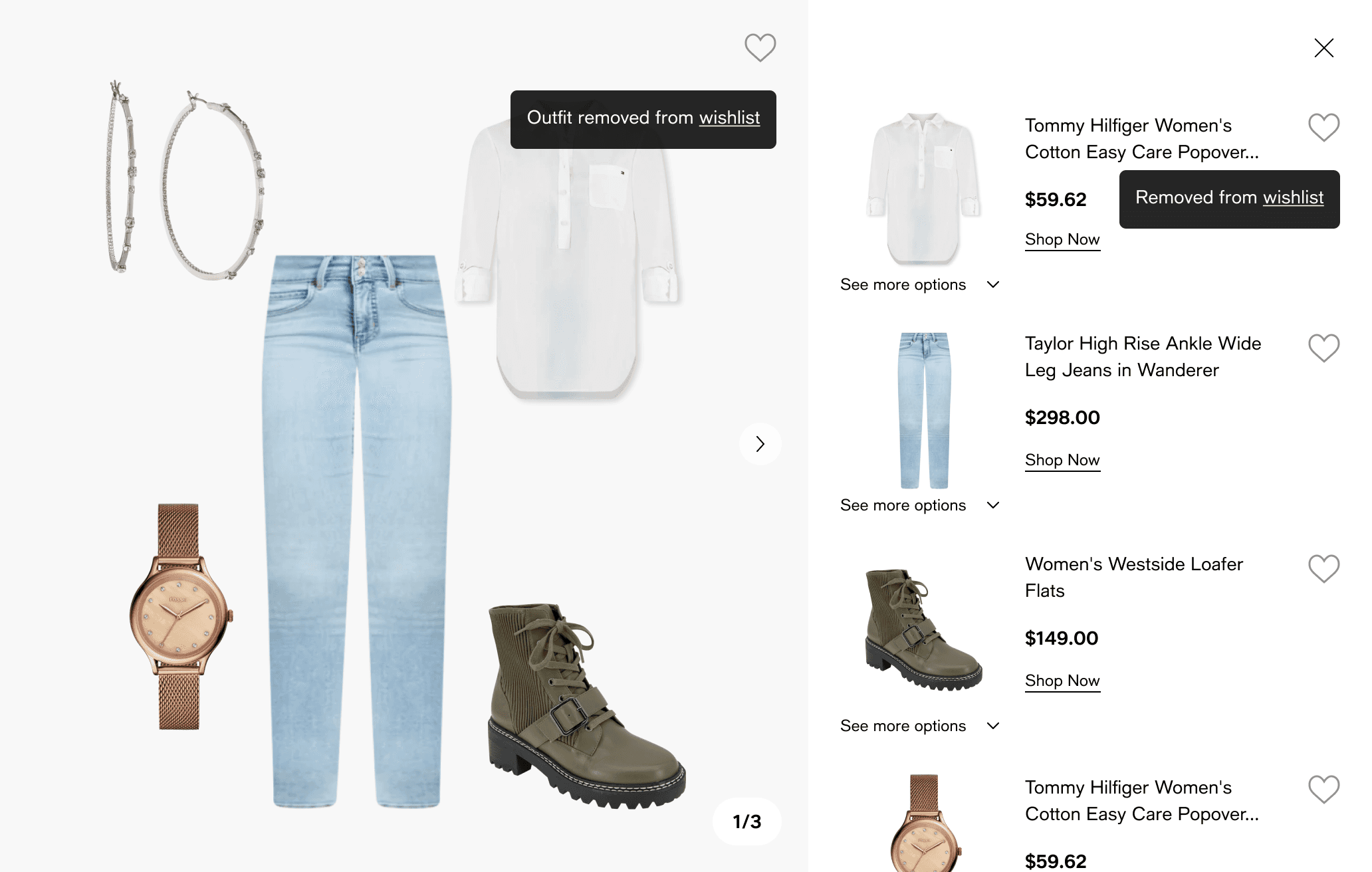
Modal with all products visible after “Shop the look.”
+ Clear overview of all items
+ Easy to add/remove before purchase
– Heavy UI, can feel distracting
– Extra click to open modal
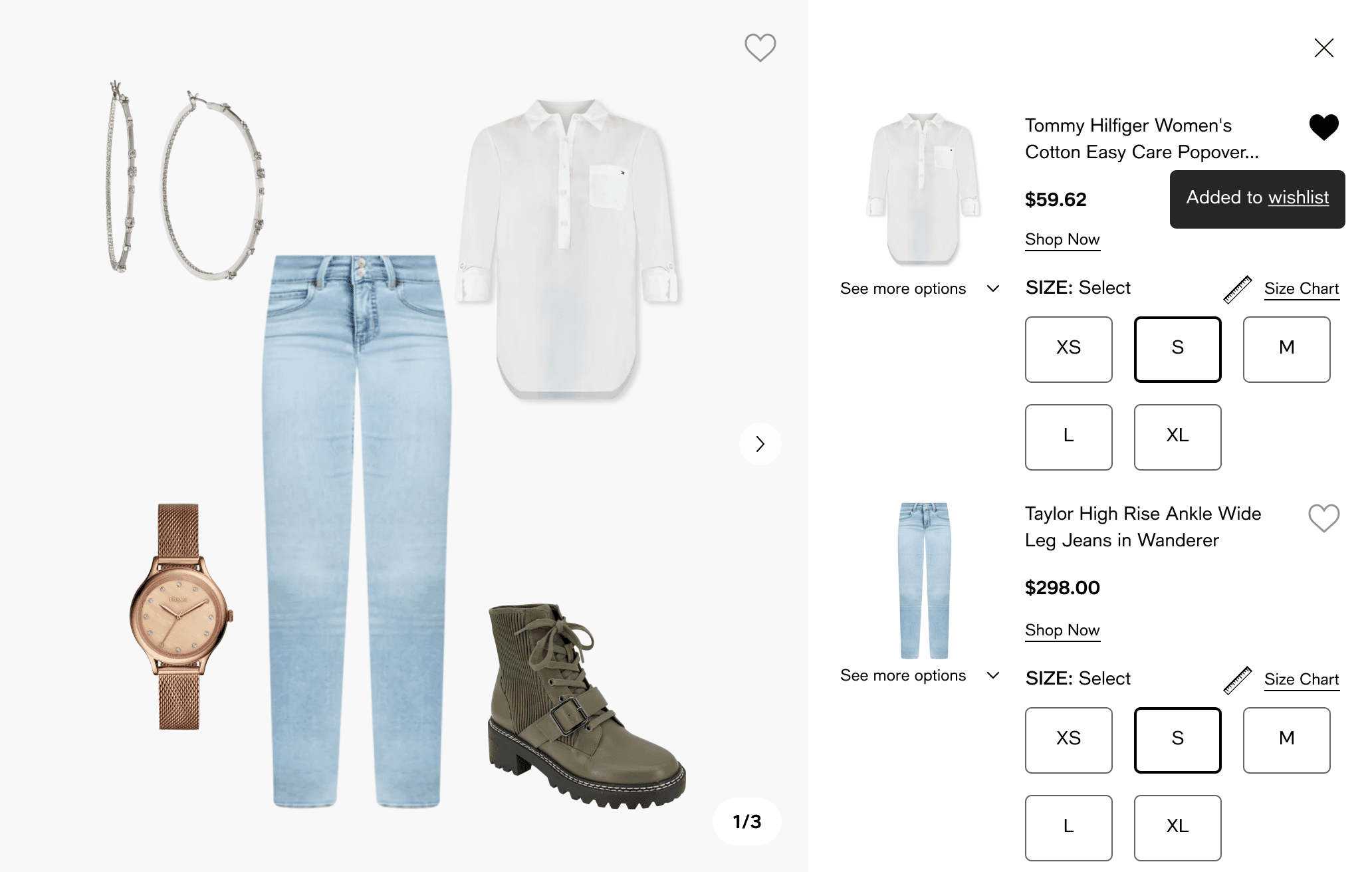
Flow 3
Full-page pop-up with details.
+ Maximum space for information
+ Flexible to customize
– Blocks the whole screen
– Slower for quick actions
Flow 4
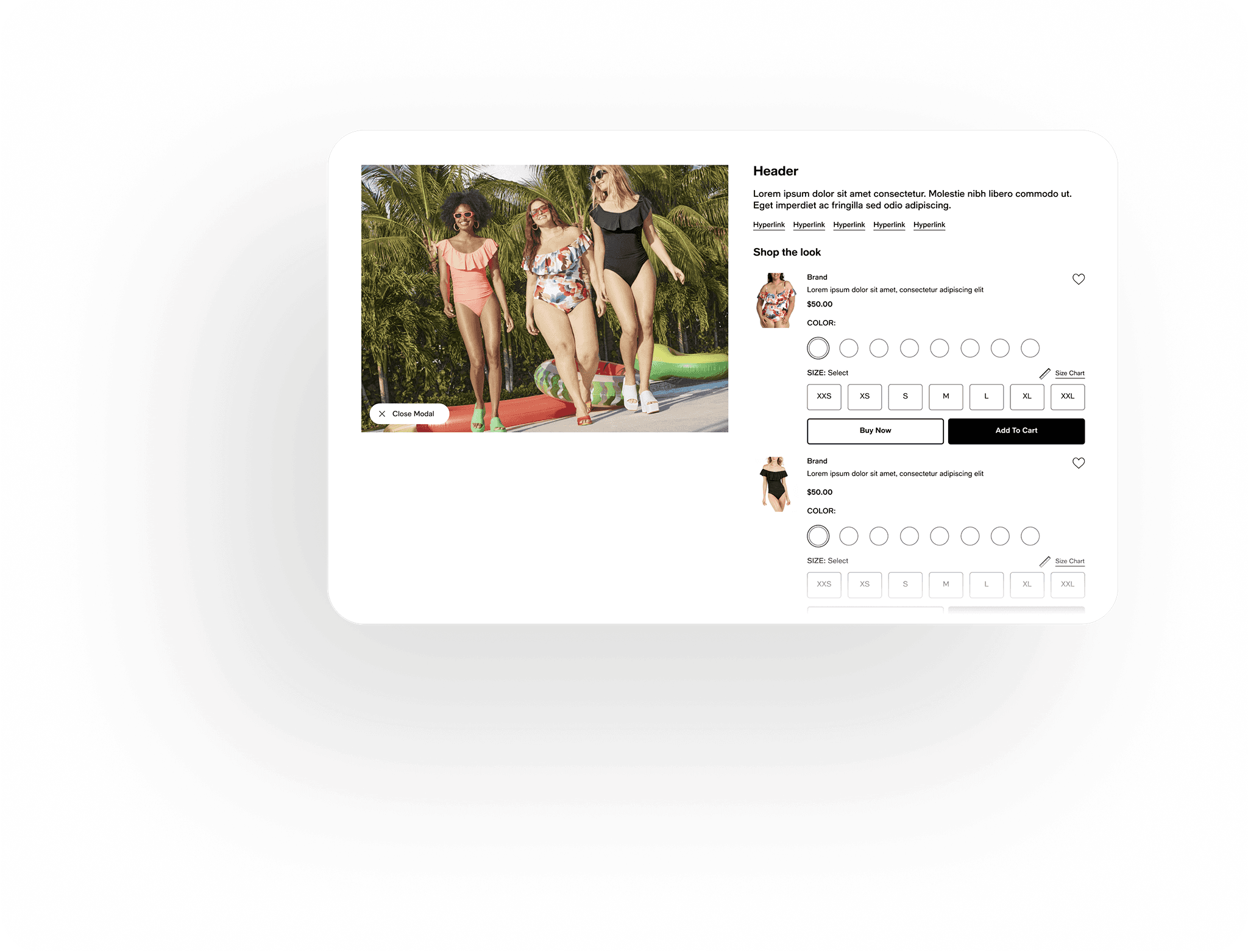
Found the sweet spot between speed and detail
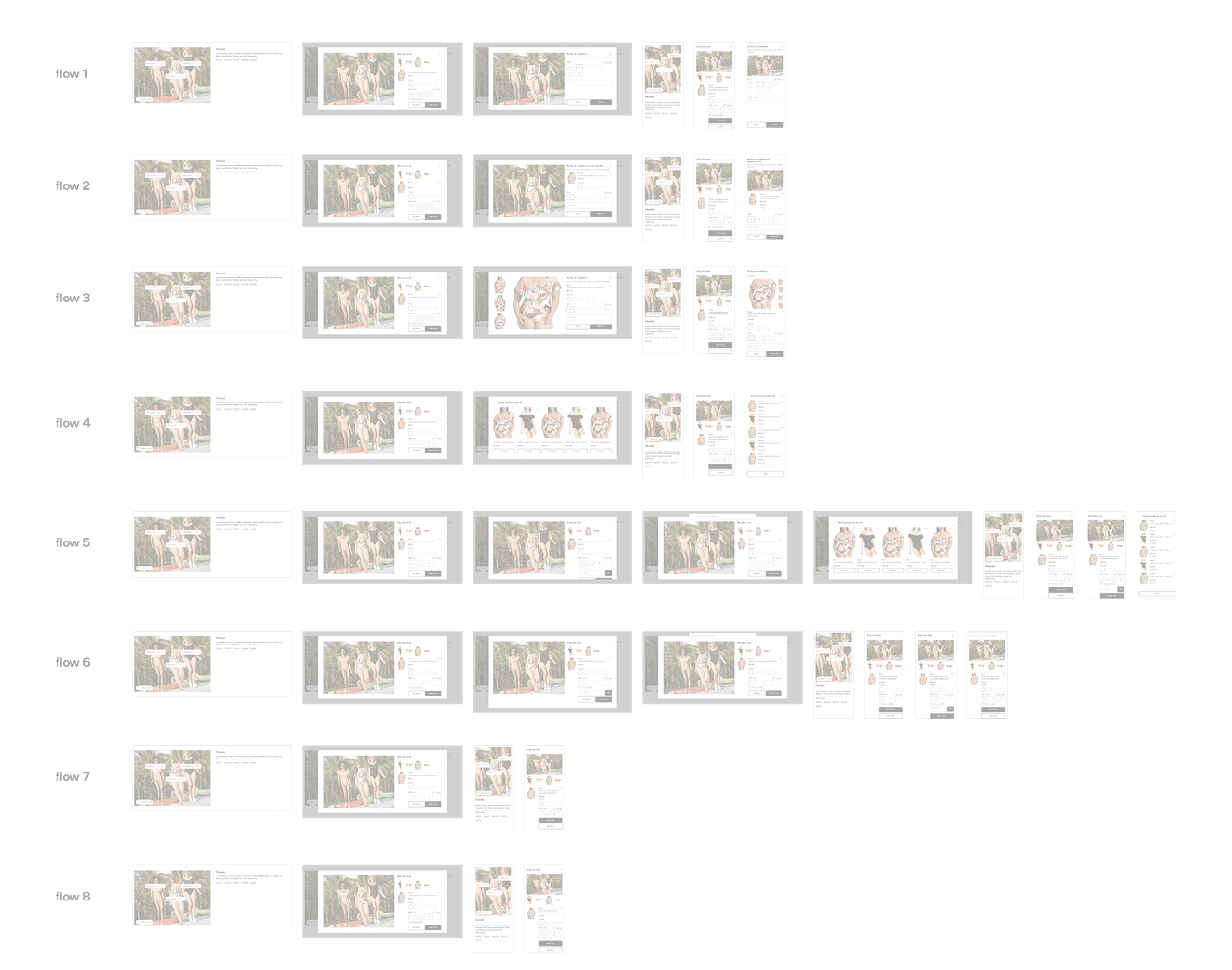
Tried 8 different PDP flows
Chose one clear pattern for every category
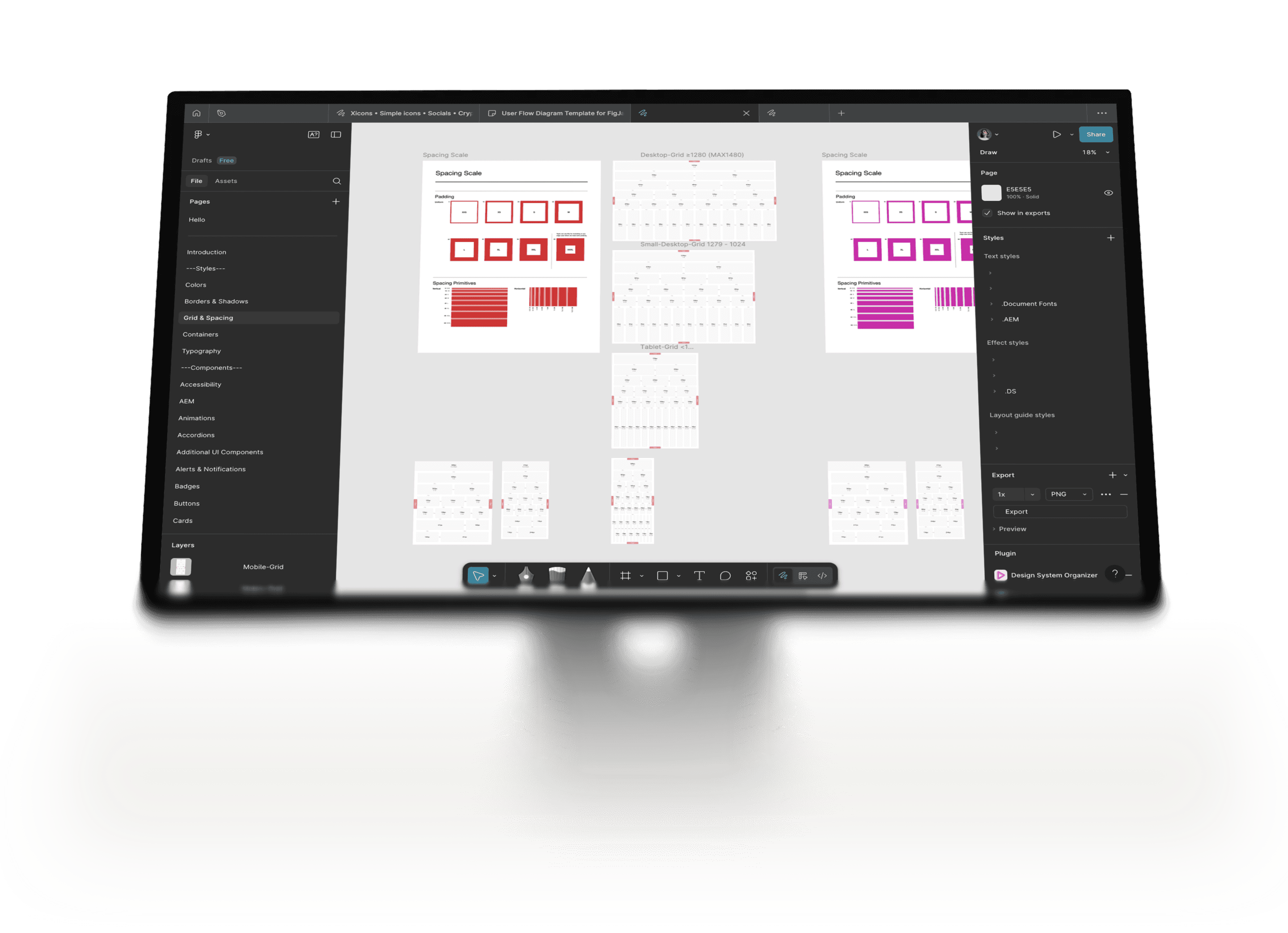
Structure
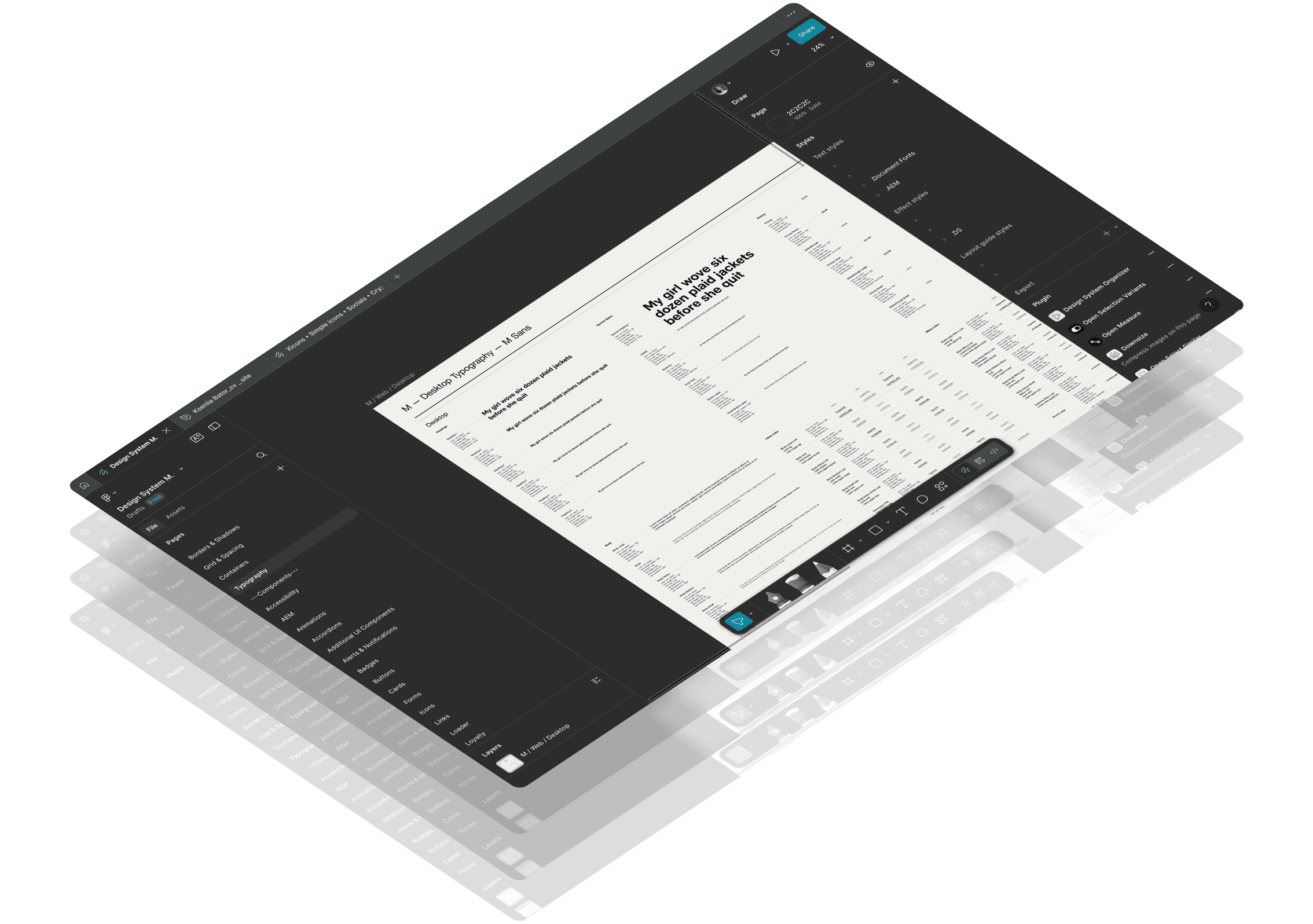
Next, I reshaped the system into something the team could actually use. Clear names, clear folders, clear rules. I walked designers and developers through the logic, so we all spoke the same language and stopped wasting time on “where is that thing?”
Remember me
Save my login details for next time.
Remember me
Save my login details for next time.
KB
KB
KB
KB
KB
KB
KB
KB
KB
KB
KB
KB
KB
KB
KB
KB
KB
KB
KB
KB
KB
KB
KB
KB
KB
KB
KB
KB
KB
KB
KB
KB
KB
KB
KB
KB



This is a tooltip
This is a tooltip
0%
10%
20%
30%
40%
50%
Sign in with Google
Sign in with Google
Sign in with Google
Sign in with Twitter
Sign in with Twitter
Sign in with Twitter
Button CTA
Button CTA
Button CTA
Button CTA
Button CTA
Button CTA
Button CTA
Button CTA
Button CTA
Button CTA
Button CTA
Button CTA
Button CTA
Button CTA
Button CTA
Button CTA
kseniaspage96@gmail.com
kseniaspage96@gmail.com
kseniaspage96@gmail.com
kseniaspage96@gmail.com
kseniaspage96@gmail.com
kseniaspage96@gmail.com
kseniaspage96@gmail.com
kseniaspage96@gmail.com
New product
We’ve just released a new feature
New product
We’ve just released a new feature
Error
There was a problem with that action
Error
There was a problem with that action
Success
You’ve updated your profile
Success
You’ve updated your profile
List item
List item
List item
List item
List item
List item
List item
List item


Buttons, inputs, tabs reduced and standardized
One Figma file used by all teams
Unification
Patterns were a jungle. I set clear rules, synced decisions fast, and killed endless debates over buttons or cards — we agreed once and moved on.
Everyone understood the rules and felt ownership of the system. It wasn’t just my cleanup, it became a shared agreement — that’s how I “manage” the process.
Helpful microcopy
Before: labels were all over the place — “add” here, “select” there, sometimes even mixed terms. People had to stop and think: “Wait, is this the same thing?”
Now: words are short and consistent. Users said it felt like the site “spoke one language” with them — less stress, smoother flow.
Lighter modals
Before: big pop-ups took over the whole screen. You lost the page, lost the context, sometimes even forgot what you were doing.
Now: the window slides in from the side, so the product page stays visible. Less heavy, more control, easier decisions.
Consistent interactions
Before: the same action behaved differently on every page. Confusing, slow, and easy to miss.
Now: one clear rule across the site. Learn it once, use it everywhere. Users felt more confident — and the team had fewer bugs to fix.
26 %
less dev time spent on re-fixes
30.5 %
duplicate components removed
20 %
faster designer onboarding
Result
21.6 %
increase in completed add-to-carts
Jan
Fab
Mar
Apr
May
Jun
Jul
21.6%
Business result
6.2 %
lift in paying users in the first month
Jan
Fab
Mar
Apr
May
Jun
Jul
6.2%
33.1 %
consistency score across categories
+16k
33%
products added to wishlist / cart per month
75k year
saved on support workload

Business impact
For users: faster size picking, no more guessing, smoother outfit flow.
For the team: less duplicate work, fewer bugs, and a system easier to scale.
Even small tweaks — like softer words or lighter modals — lifted trust and completion.
Constraints
This wasn’t a clean start — it was a giant system with old parts, many product types, and not much time. So I had to be picky: focus on the changes that gave the biggest impact and could actually be built.
Collaboration
I spent a lot of time with devs and the PO, going back and forth on trade-offs. Some flows looked “perfect” in Figma, but would have taken months to code. Together we found options that kept the user happy and the release moving.
Next steps
Keep pushing the unified system into new categories, and step by step turn it into a product that feels consistent from start to finish.
Account optimization
Search experience
We are here
Navigation redesign
Accessibility & performance pass

Kseniia Bator
Product designer