
Apple and Google dont care about your products UX

Apple and Google dont care about your products UX

A stylized digital illustration showing a person’s eyes peeking over the edge of a bright orange umbrella. They are surrounded by a dense crowd of muted grey umbrellas, creating a stark contrast between the individual and the crowd.

About 20 times in my career, clients have come to me with a request to audit or design an app strictly according to Apple or Google guidelines.

Every time, before I even open a Figma file, I ask: Why?
The answer is usually: To make sure everything is correct and familiar.
Or, if they are feeling fancy: To simulate the native OS experience.

About 20 times in my career, clients have come to me with a request to audit or design an app strictly according to Apple or Google guidelines.

Every time, before I even open a Figma file, I ask: Why?
The answer is usually: To make sure everything is correct and familiar.
Or, if they are feeling fancy: To simulate the native OS experience.

They expect that following the Human Interface Guidelines (HIG) or Material Design to the letter will guarantee a great user experience.

They expect that following the Human Interface Guidelines (HIG) or Material Design to the letter will guarantee a great user experience.

Here is the uncomfortable truth: System guidelines are not designed to make your specific product convenient.

Here is the uncomfortable truth: System guidelines are not designed to make your specific product convenient.

The Average Trap

The Average Trap

Guidelines are essentially a set of rules created by platform holders to maintain order in their ecosystem. 

They are built to:

  1. Prevent terrible design decisions.

  2. Stop new users from getting confused or scared.

  3. Ensure the interface is “average,” “safe,” and uniform.
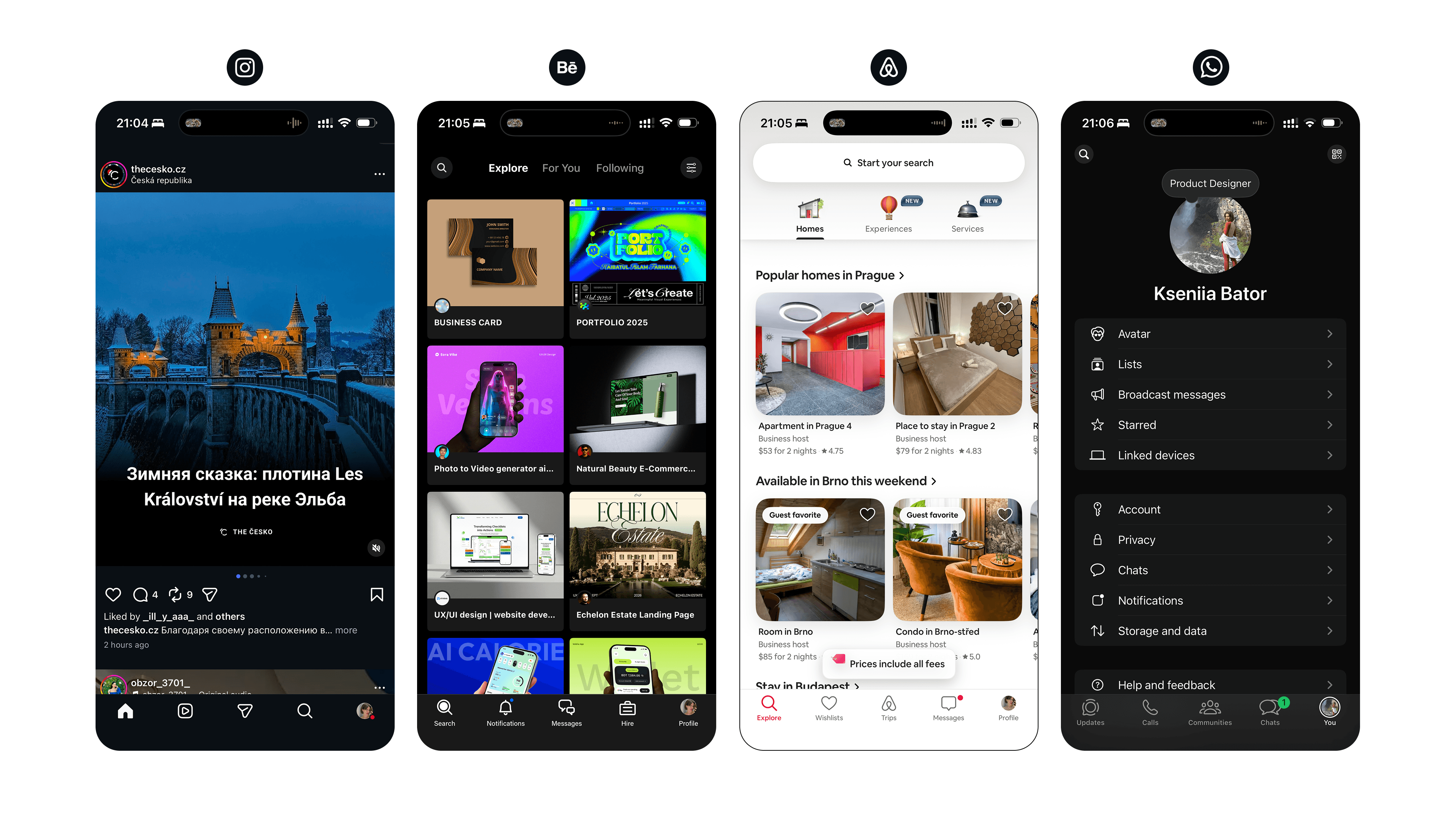
Side-by-side comparison of four popular mobile apps: Instagram, Behance, Airbnb, and WhatsApp. The screenshot demonstrates how strict adherence to design patterns results in identical structural layouts across different industries - featuring nearly identical bottom navigation bars, top headers, and list views.

They are not built for:

  1. Efficiency in your specific real-world scenarios.

  2. Creating an emotional connection with your user.

  3. Reflecting your product’s unique character.

  4. Optimizing for speed of operation.

When you stick 100% to the guidelines, you are optimizing the ecosystem, not your product. Apple and Google care about canonical patterns. They want a user to switch from the Calendar app to the Calculator app without a cognitive jolt.

But your user? They don’t care if your button radius matches a spec written by a corporate committee five years ago. They care about finding what they need, doing it quickly, and not getting annoyed.

They are not built for:

  1. Efficiency in your specific real-world scenarios.

  2. Creating an emotional connection with your user.

  3. Reflecting your product’s unique character.

  4. Optimizing for speed of operation.

When you stick 100% to the guidelines, you are optimizing the ecosystem, not your product. Apple and Google care about canonical patterns. They want a user to switch from the Calendar app to the Calculator app without a cognitive jolt.

But your user? They don’t care if your button radius matches a spec written by a corporate committee five years ago. They care about finding what they need, doing it quickly, and not getting annoyed.

Guidelines vs. Reality

Guidelines vs. Reality

In my ~8 years of designing interfaces across fintech, SaaS, and mobile products, I haven’t shipped a single app that followed the guidelines 100%. Unless you work at Apple or Google, you shouldn’t either. (fun fact: even they break their own rules all the time).

Why? Because “Native” does not always mean “Best.”
Take the native Android Date Picker, for example. It is “correct” according to Material Design. But for many specific tasks — like selecting a flight range or entering a date of birth — it can be clunky, requiring too many taps. If you prioritize the guideline over the user’s time, you fail the UX test.

The Telegram Case: Brand Experience > Platform Consistency

The Telegram Case: Brand Experience > Platform Consistency

This topic came to mind recently when I saw the new Telegram for Android beta.

Historically, Android apps strive to look like Android apps. But Telegram is doing something interesting: they are ditching strict Material Design in favor of iOS-like aesthetics — reconstructing “liquid glass” blurs and transparency effects as much as Android allows.
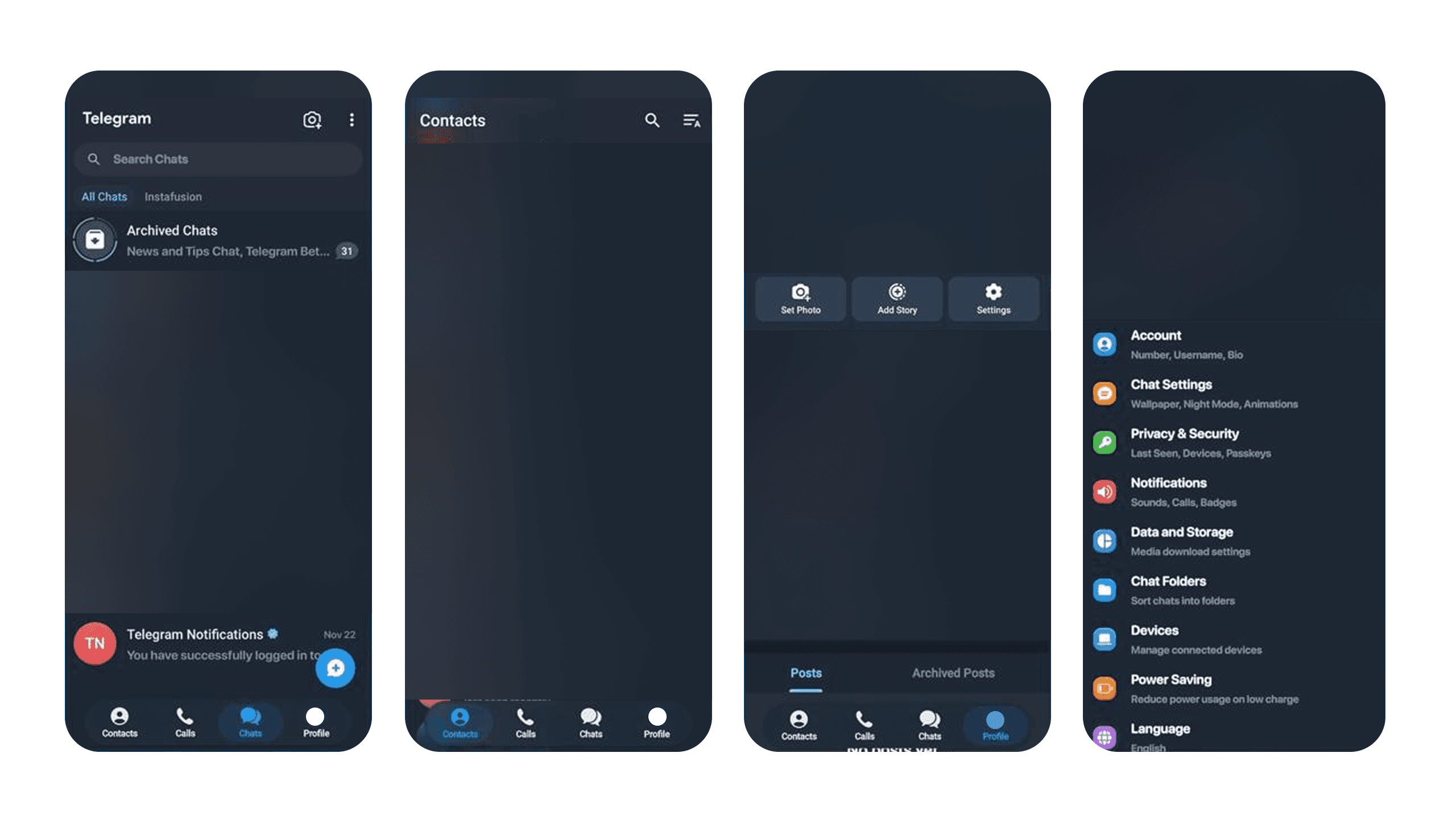
Four side-by-side screenshots of the Telegram Android Beta mobile interface in dark mode. The personal content (chats and lists) is intentionally blurred for privacy. The images highlight the UI design: specifically the top headers, bottom navigation bars, and overlays which feature a semi-transparent, glass-like blur effect similar to iOS styles, deviating from standard solid Material Design backgrounds.

Why would they do that?

Because Cross-Platform Brand Experience often beats Platform Consistency.

Telegram wants its users to feel like they are using Telegram, not just “another Android messaging app.” They are prioritizing their own physics, their own emotions, and their own visual language. They are building a universe inside the OS.

How to Break Rules Like a Senior

How to Break Rules Like a Senior

This topic came to mind recently when I saw the new Telegram for Android beta.

To break the rules effectively, you need to know them first. Here is where I draw the line:

Respect the Mental Models (Don’t Break These):

  • Navigation Logic: Don’t mess with how users go “Back” or return “Home.”

  • Tap Targets: Don’t make buttons smaller than 44px just because it looks “sleek.”

  • Fundamental Gestures: Swipe to delete, pull to refresh. These are muscle memory.

Ignore the Dogma (Do Break These):

  • Visual Styling: If your brand is bold, don’t use the default system blue just to be “safe.”

  • Standard Components: If a custom control saves the user 3 clicks, build the custom control.

  • The “Vibe”: If the guideline says “flat and material,” but your product needs “depth and glass” to convey quality — trust your product vision.

Conclusion

Conclusion

Guidelines are a floor, not a ceiling. They prevent you from making a bad interface, but they won’t help you create an exceptional one.

Your job as a designer isn’t to be a compliance officer for Apple or Google. Your job is to advocate for your user. Sometimes, that means taking the guidelines, saying “thank you,” and then doing exactly what your product needs instead.

Create a free website with Framer, the website builder loved by startups, designers and agencies.